The power of agentic engineering dawned on me in June 2025. I was immediately hooked. A few months later, I was spending all day in Claude Code, and then Codex.
I’ve spent copious amounts of time (to the point of developing a slight addiction) refining my AI agents to get maximum productivity out of this wonderful technology. I think others will find my learnings useful.
This article is aimed at software engineers and technical operators. I’ve strived to write it in a timeless way, focusing less on specific harness features (or lack thereof) and more on general principles for building a modern, autonomous agentic stack.
TL;DR
Ask your agent to install this skill — it will review your agent setup and install the autonomy trifecta:
 github.com PaulRBerg/autonomy-trifecta An agent-run installer for persistent memory, recursive self-improvement, and optional parallel coordination.
The Trifecta
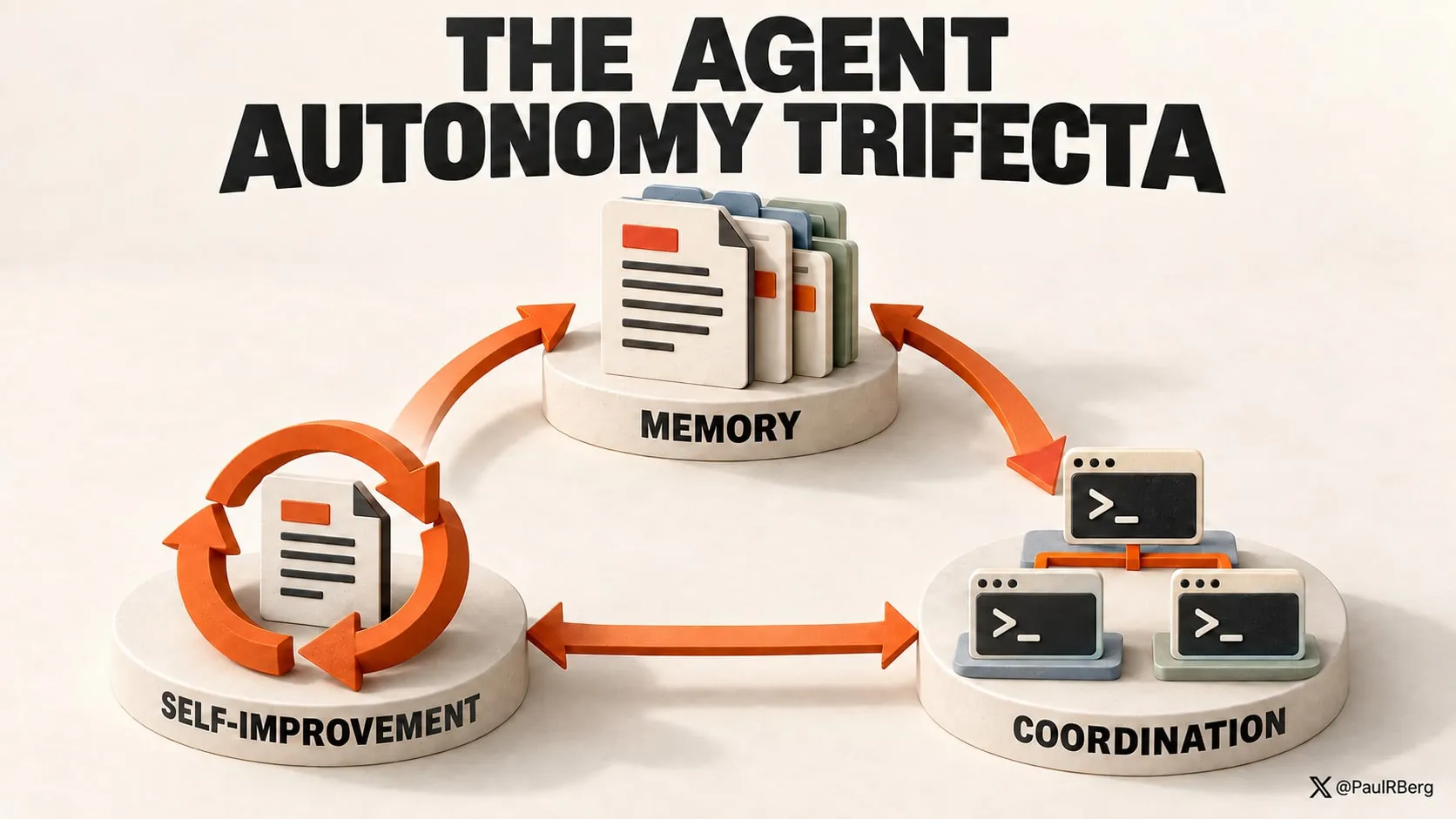
An autonomous AI agent system is one with three properties:
- Persistent Memory: version-controlled library of reusable skills and
AGENTS.mdfiles - Reflexivity: recursive self-improvement over those memory files
- Scalable Parallelization: multiple agents can work in parallel, safely and productively
I’ll go through each of those properties, but first, a few words about the harness.
Know Thy Harness
I use Codex CLI and
Claude Code, and occasionally, when I dabble with other
models, I spin up Oh My Pi. These harnesses load their
configs from .agents/, .codex/, and .claude/, but your harness may use a different folder.
I keep my global agent configuration in version control, and I recommend you do the same:
dot-codex- Codex configdot-claude- Claude Code configdot-agents- generic fallback for all harnesses
These global folders are a core part of your agents’ brain. Keeping them in version control enables greater visibility into how your agents have changed over time, and makes it easier to pinpoint problems when they arise.
Make sure to .gitignore sensitive files/folders. Harness developers tend to bloat these folders
with things that should not be in version control, including auth tokens and the like.
Property 1: Persistent Memory
Primacy of Agent Skills
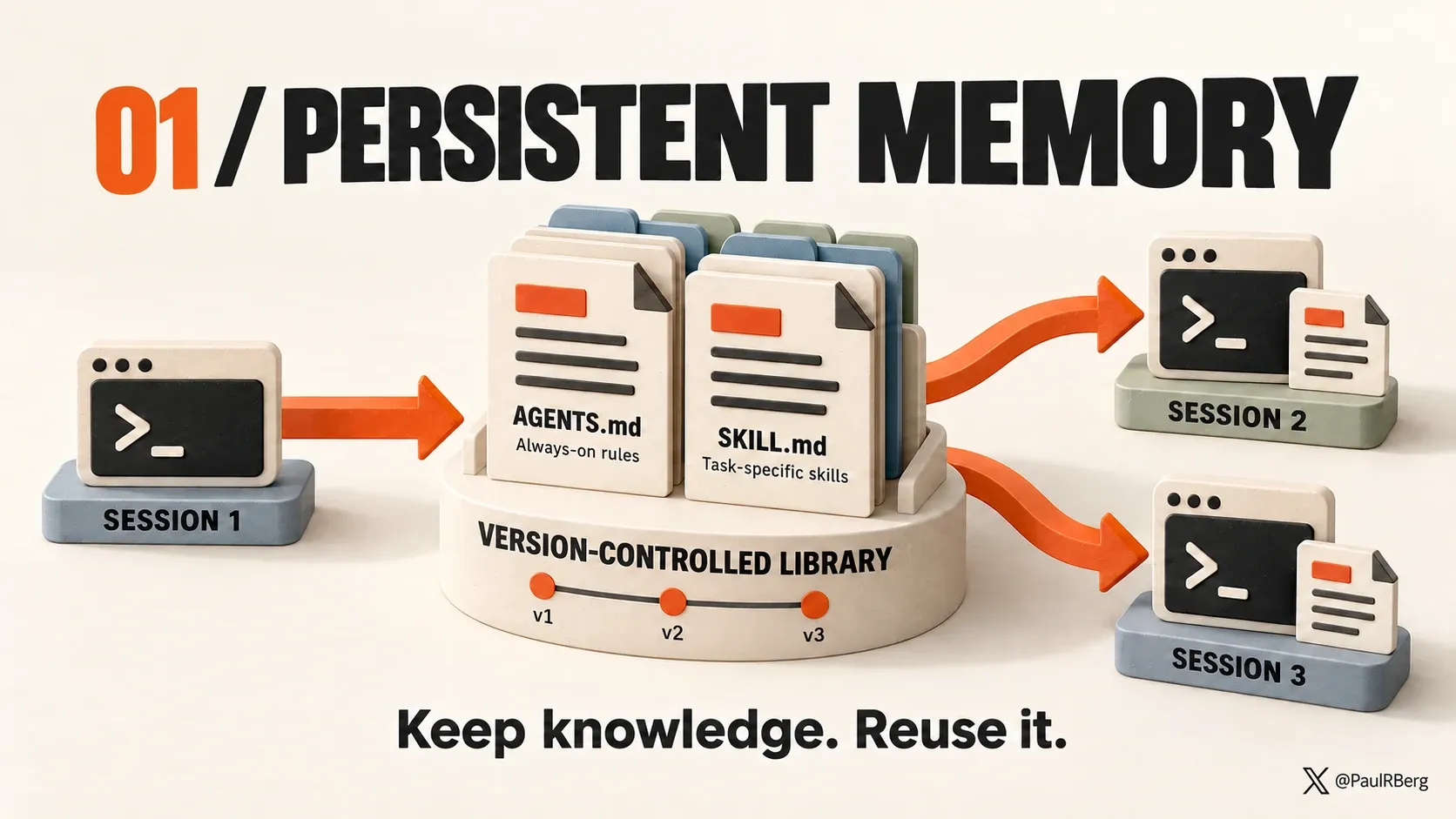
Agent Skills are a major innovation. The idea is simple, but powerful:
Agent Skills are a lightweight, open format for extending AI agent capabilities with specialized knowledge and workflows.
‘Specialized’ is the key term.
Skills give us leverage. They act as a force multiplier by not clogging up the context window of your LLM (200k, 1M tokens, etc.). Knowledge is chopped up, packaged up, and used on the fly (according to the task at hand).
To make the most of agent skills, you need to keep track of them and treat them as your digital bonsai trees — which have to be groomed and pruned with care!
This is the single most important thing you can do right now: set up your own AI agent skills library. Mine is at:
 github.com PaulRBerg/agent-skills PRB's collection of agent skills. Contribute to PaulRBerg/agent-skills development by creating an account on GitHub.
Whether you create this library as a separate repo (as I did) or you embed the skills within a
~/.agents or ~/.claude, that is an implementation detail. The point is, you should have a place
where your AI agent skills are stored. Think of these skills as crystallized knowledge — knowledge
that is easily reusable and (very importantly) that your agents don’t have to rediscover on the fly.
You should use version control (e.g., git) for this library of skills. That’s super important, as you will see later on in the Reflexivity section.
Sharing Skills in a Team
Every team/organization should have its bespoke <ORG-NAME>/agent-skills repository, and all
employees should install it and make continuous improvements to it.
And of course, you should keep your personal skill library separate from your company’s.
Per-Project Skills
It’s up to you to decide whether a skill goes into a global library (personal or organizational), or
a relative .agents/skills folder in a specific project/repo.
You could, in principle, ask your agents to figure that out for you, but it’s the kind of thing that can devolve into slop.
Plus, knowing what skills to use and in which context is basically our job now, as human operators. Language models have got intelligent enough that they activate skills in the right context, but if you really want to be as productive as possible, explicitly invoking skills in your prompts is the way to go. It’s the difference between a good manager and a bad manager. A good manager knows off the top of their head who to delegate the task to!
AGENTS.md
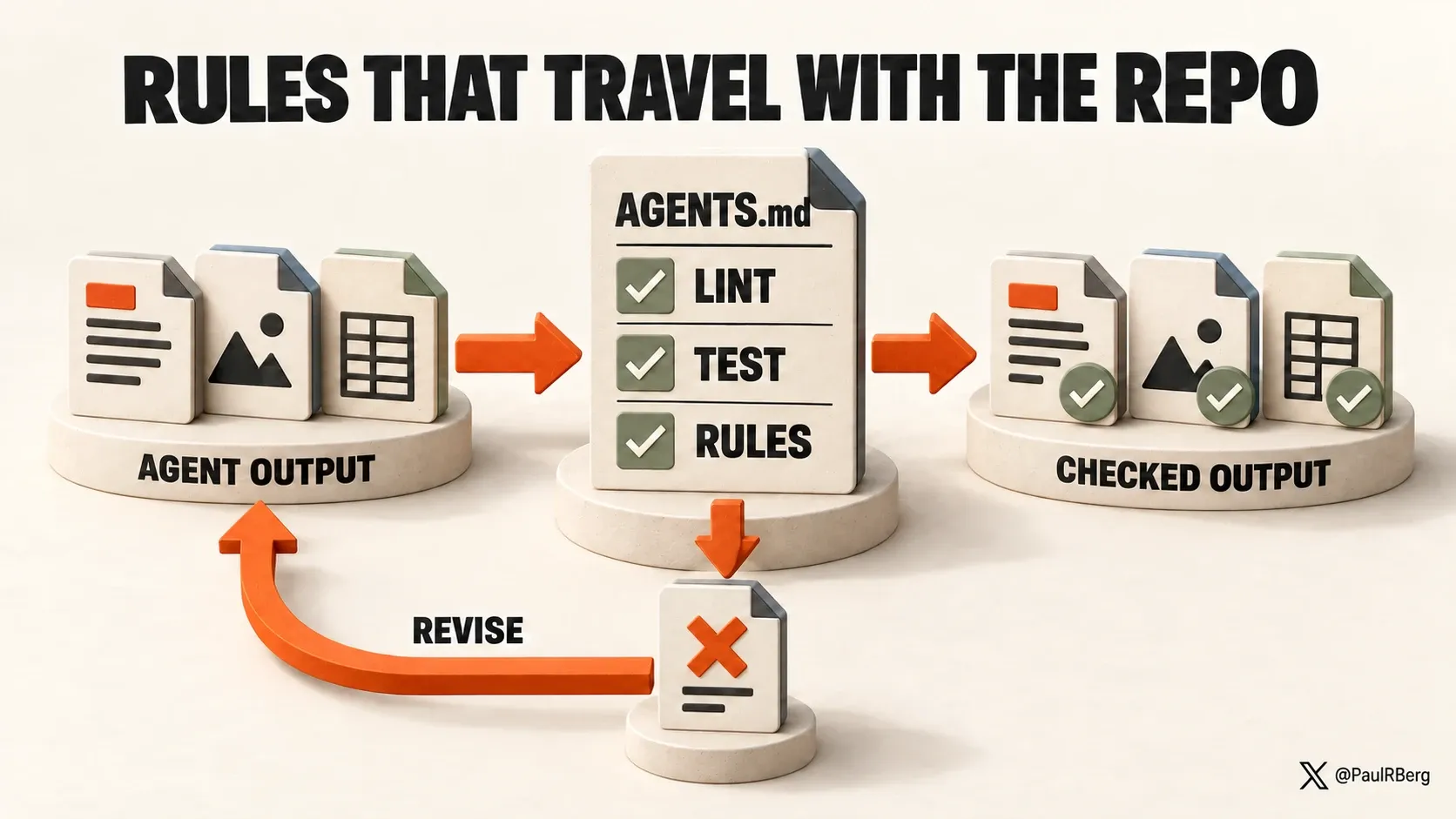
AGENTS.md files are powerful. They play a key role in building an autonomous stack.
If agent skills are contextual (they apply to some AI chats in a project), AGENTS.md files are
universal (they apply to every AI chat in a project). There is also a global ~/.agents/AGENTS.md
file (or, equivalently for Claude Code, ~/.claude/CLAUDE.md), which is loaded in every single
chat, regardless of the project.
This is what I recommend putting in these files:
| Content | Example |
|---|---|
| Code linting | ESLint, etc. |
| Testing | Vitest, etc. |
| Change Management | Auto-push to remote, auto-sync other repositories |
| Hard-and-fast Rules | Keep files under 1000 lines of code |
As you can see, AGENTS.md files are about constraints and always-on rules. LLMs, by their
very nature, are probabilistic. AGENTS.md is how we turn that probabilistic haze into
deterministic output.
Choose Your Own Adventure
It’s up to you to decide what rules to enforce, and which software to run for those checks. The important thing is: proactively think about this. Different projects and problem situations require different checks!
For example, my personal finance dashboard is written in TypeScript. I lint that TypeScript code
with ESLint. In another project, I use Blender for the 3D modeling of a house. There, I use a Python
rendering library to enforce certain construction invariants, such as adhering to local construction
regulations. These rules are embedded in the AGENTS.md file of each repo.
Globally, I enforce things like git commit management, e.g., I want my agents to commit as soon as they complete a task, and also to push to the remote. You might not want it to work like this, though. And that’s fine!
Other people do other things. For example, Uncle Bob runs a CRAP metric check on his agents.
Who Writes My Skills and AGENTS.md Files?
I used to author them by hand. Not anymore. Language models have got sufficiently intelligent (e.g., Claude Fable, GPT-6, etc.) that they can write these themselves. You just have to prompt them into existence1 by giving detailed instructions.
I have a skill called
agents-brain that
handles:
- Skill creation + maintenance
AGENTS.mdcreation + maintenance
When I create a skill, I explicitly invoke agents-brain, and I say something like “Use
/agents-brain to create this skill that does this and that”.
When to create a skill?
You create a skill when you notice yourself typing the same prompt again and again.
Property 2: Reflexivity (or Recursive Self-Improvement)
We have our agent skills library properly set up, and a neat collection of constraints and rules
written in AGENTS.md files. What’s next?
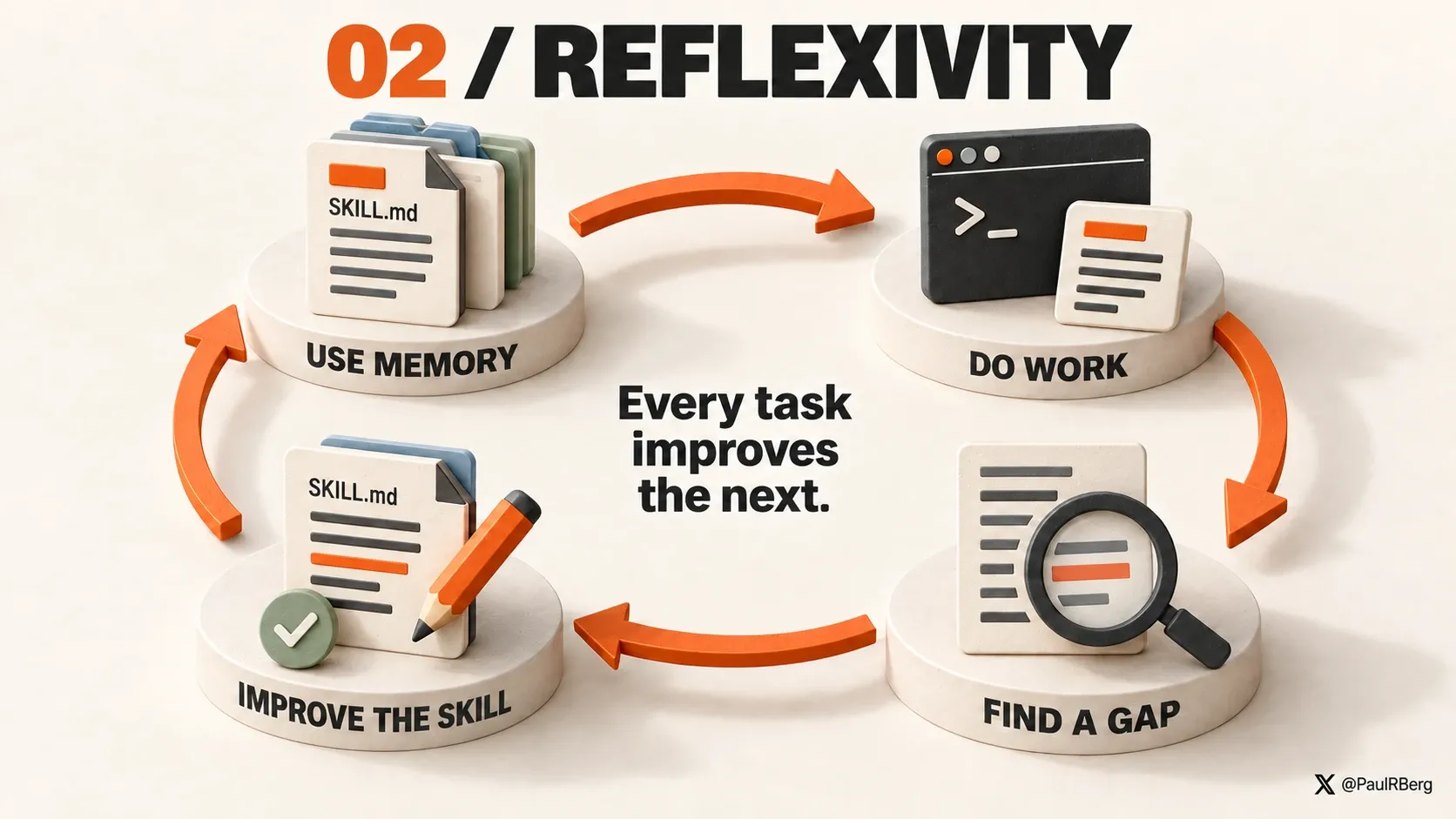
Enter the principle of reflexivity: we instruct our AI agents to recursively maintain and improve our agent skills library as they work on various projects on our computer.
This can be accomplished in a variety of ways. I do it by putting instructions like this in my
global ~/.agents/AGENTS.md file:
If using one of my personal skills reveals a problem below, make the smallest durable improvement tothat skill:
- Outdated information or a bug.- Unclear or missing instructions.- Missing functionality within the skill's purpose.- Avoidable manual work.
This standing authorization permits maintenance of `~/projects/agent-skills` from any repository,including during questions, research, reviews, and otherwise read-only tasks. In Plan Mode,investigate and include the repair in the plan without editing.
How this rule is worded is an implementation detail. The point is to put something like that in your
global AGENTS.md, and then watch your agents magically keep their brain updated, autonomously.
You’re no longer a meat proxy :)
Continuous Code Review/Polish
Reflexivity need not end at Markdown files.
You can instruct your agents to continuously run a code review/code polish skill after making code changes.
Again, sharing the rule from my global AGENTS.md:
After every medium or large code change, run `$code-polish` on this session's changed code beforecommitting. Judge size by scope and behavioral complexity, not line count. Skip it for small,localized changes unless I explicitly request it.The Sky is the Limit
You can apply the principle of recursive self-improvement to any files that are of interest to you: diagrams, documentation files, or whatever.
Think of it like this — every interaction with an AI agent running on your machine is an opportunity to discover errors in your code base/project files. Why not fix them on the spot?
Property 3: Scalable Parallelization
This is one of the more advanced workflows. If you run only one agent at a time, you can skip this.
I run multiple agents in parallel, often on the same repo. I do this using iTerm split panes:
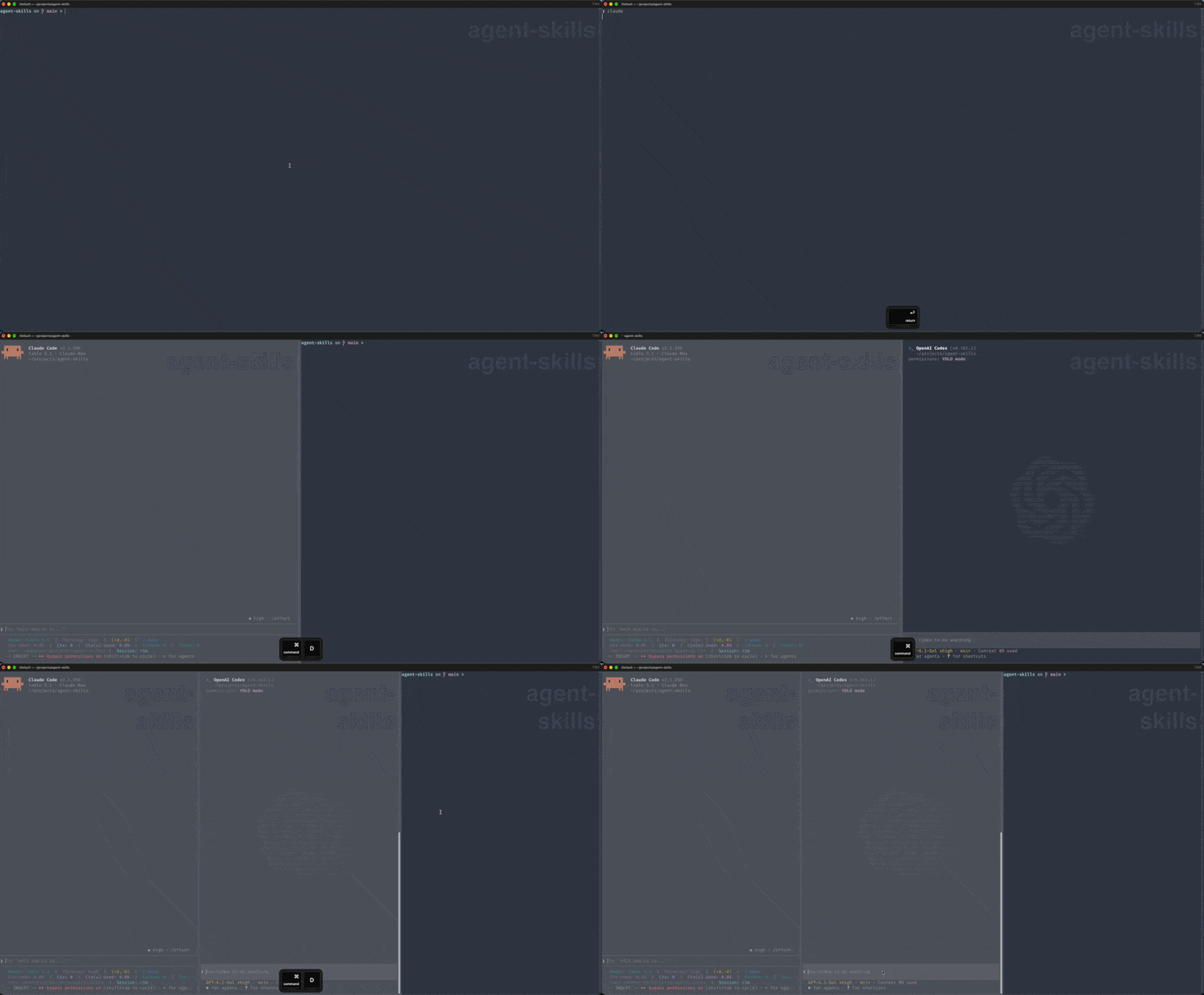
I like split panes a lot. It’s easy to spawn a new pane using CMD+D, and then close one using CMD+W.
I find it a whole lot easier than using terminal multiplexers like tmux or
zellij.
At any rate. If you run agents in parallel, you surely have faced the problem of agents stepping on each other’s toes. That is, agent B discarding agent A’s work.
Git Worktrees Suck
Git worktrees are a traditional solution to this parallelization problem.
However, I can’t stand them, and I don’t recommend using them!
- They don’t prevent merge conflicts. They only defer them.
- They increase the cognitive overload of both humans and agents by creating multiple folders pointing at the same repo.
So, I wondered — isn’t there an easier way of achieving parallelization without the overhead of git worktrees?
ai-coord CLI
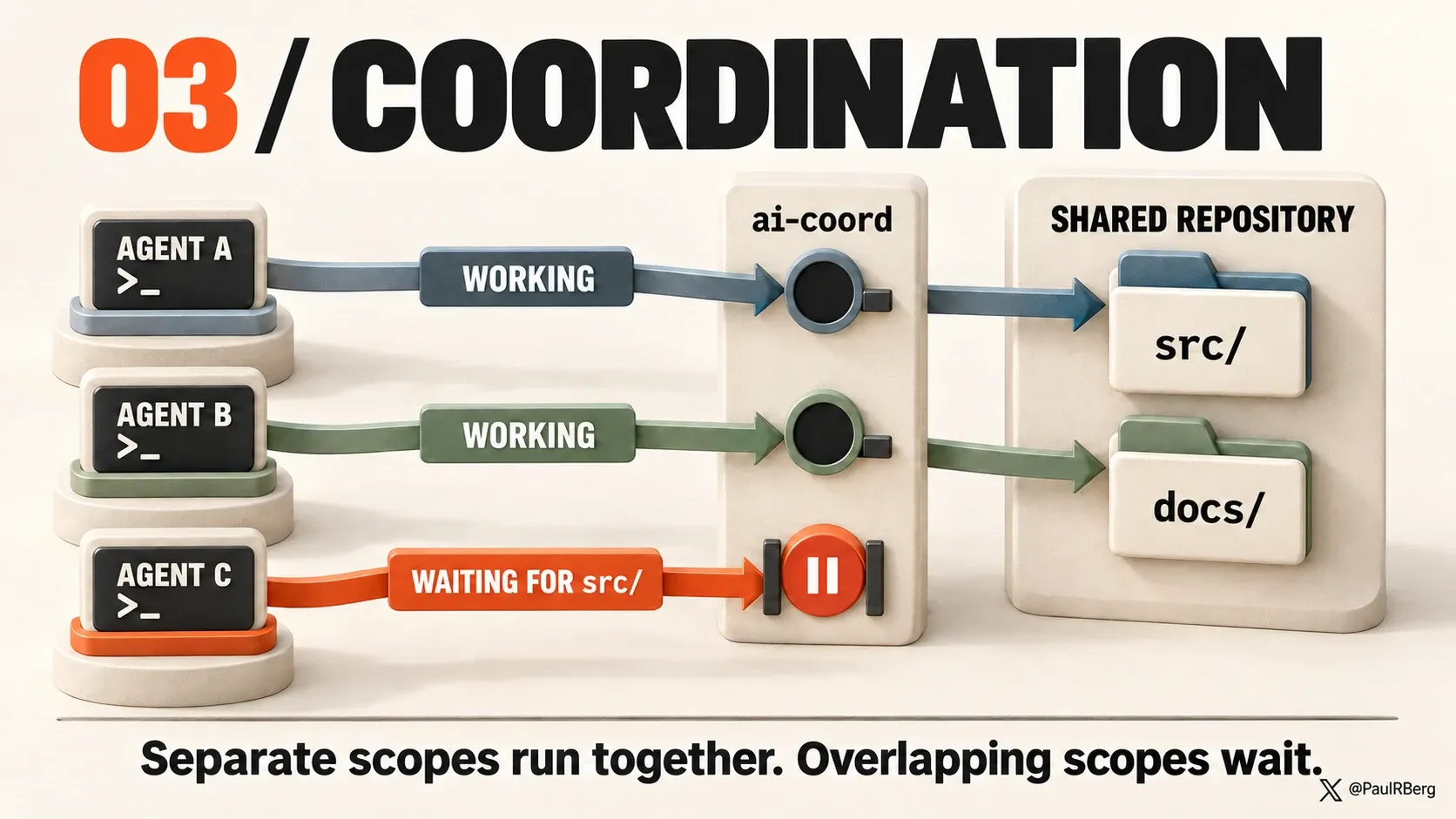
I came up with this idea for a ‘coordination’ CLI, which I now use every day. Here’s how it works:
- Agents give themselves names
- Agents notify other agents about the specific files/folders they will be working on (not necessarily within the same repo; they have autonomy on my machine)
- If another agent is already working on some or all those files, the original agent is informed about it, and they will start waiting to obtain ownership
- Agents give themselves funny names and have the ability to message each other (this is just for better UX)
And I monitor their coordination via a localhost dashboard UI:
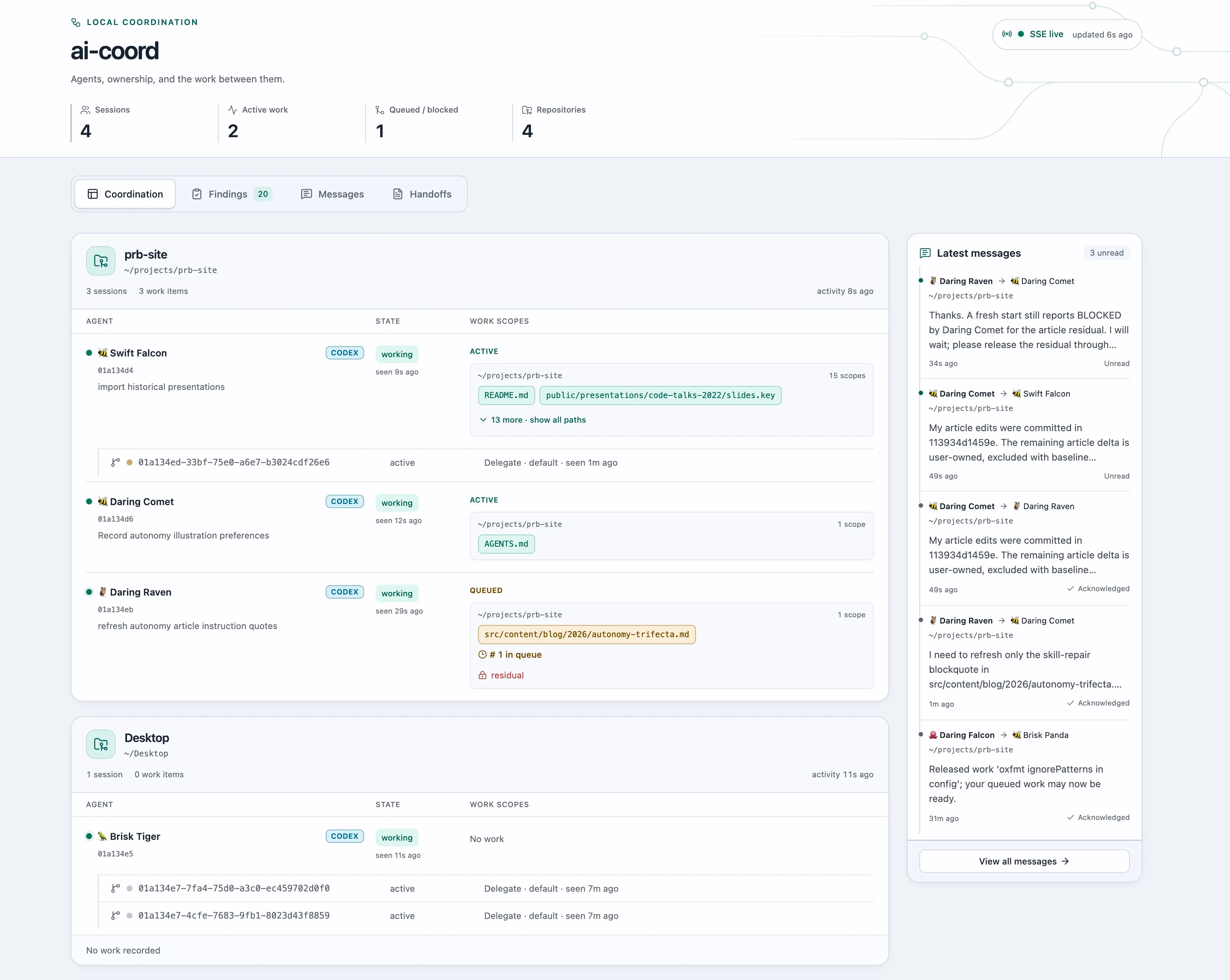
You can think of ai-coord as a ‘traffic control’ system, or a ‘semaphore’. Agents are constrained
to wait for other agents, just like drivers in traffic wait for other drivers ahead of them, obey
traffic lights, and so on.
Access Control
A note on access control — I run my agents in YOLO mode.
Apart from some commands and paths they are blocked from accessing (the exact rules are harness-dependent and hence outside the scope of this article), my agents can read from or write to any folder on this machine. They can also make network requests and otherwise access the Internet freely.
You might not be in a position to grant so much freedom to your agents. Your company may require stricter controls, or you may be more risk-averse.
But that’s fine. The autonomy trifecta can be implemented in an agentic setup with more granular access controls (see the principle of least privilege). It does take more time to do it, though, and your agents’ performance2 might be affected as a result.
Examples of Projects
Projects my agents are working on:
- Maintaining Sablier’s frontend (crypto payment software)
- Personal finances, accounting, tax reports
- Monitoring my investment portfolio
- 3D modeling a house, in Blender
- Searching my email history
- Email drafting (using the
gwsCLI) - Selling on Ebay and Vinted (I paste an image of a product into a chat, and the AI figures out the pricing and posts the ad)
And I could go on and on. I haven’t written a single line of code in any of the projects mentioned above.
Ending Thoughts
For a long time, I’ve thought that a hallmark of a good code base is that it’s easy to make changes and add new features. Or, more poetically, a code base is good if and only if it is metamorphic.
I think that principle has always held true. But now, in the age of agentic engineering, it’s truer than ever — since changes/features can be implemented faster than ever.
Thanks for reading. If you find this helpful, please share it on social!
If you’d like to book me to review your business workflows and automate them, reach out via email or X.
References
- Agent Skills: my skills library
- Dot Codex: my Codex CLI config
- Dot Claude: my Claude Code config
Footnotes
-
The skeptical among you might retort by saying, “but then, what’s the point of skills? If agents do it anyway, why not let agents figure it out on the fly?” The answer is simple: more leverage. Explaining what a skill should do takes time and multiple prompts. Afterward, invoking a skill is simple. It’s a few words! ↩
-
The performance of your agents also depends on how much access they have to your data, the quality of your data, and the tools they can use. For brevity, I didn’t touch on this topic, but you should ensure your agents can access your services/databases (e.g., via an MCP). An agent that cannot access your financial transactions can only go so far in generating an accurate tax report. ↩